Appearance
How slot pricing works
Each booking needs a price. Librarify works it out for you, and you can always change it when you book.
Who can do thisOwner, Org admin, Moderator by default, or any staff role given Slots → Add / edit / delete in Settings → Staff role permissions.
How the price is chosen
When you book a member into a slot, Librarify uses the first of these that is set:
- The price you type in Price Paid (₹) when booking.
- The seat's pricing tag, if it has Special pricing: one price for all slots, or a price for this slot.
- The slot's own price.
If none is set, enter the price yourself when you book.
Example: your Morning slot is ₹380. Seats tagged Gold have special pricing of ₹800 for all slots. A Morning booking on a General seat costs ₹380, and on a Gold seat ₹800.
Set a slot's price
- New slots: enter the Price in Add slot, or set a default under Slot pricing and adjust each Slot price when you use a preset.
- Existing slots: on Slots, open the slot's ⋮ menu and click Edit.
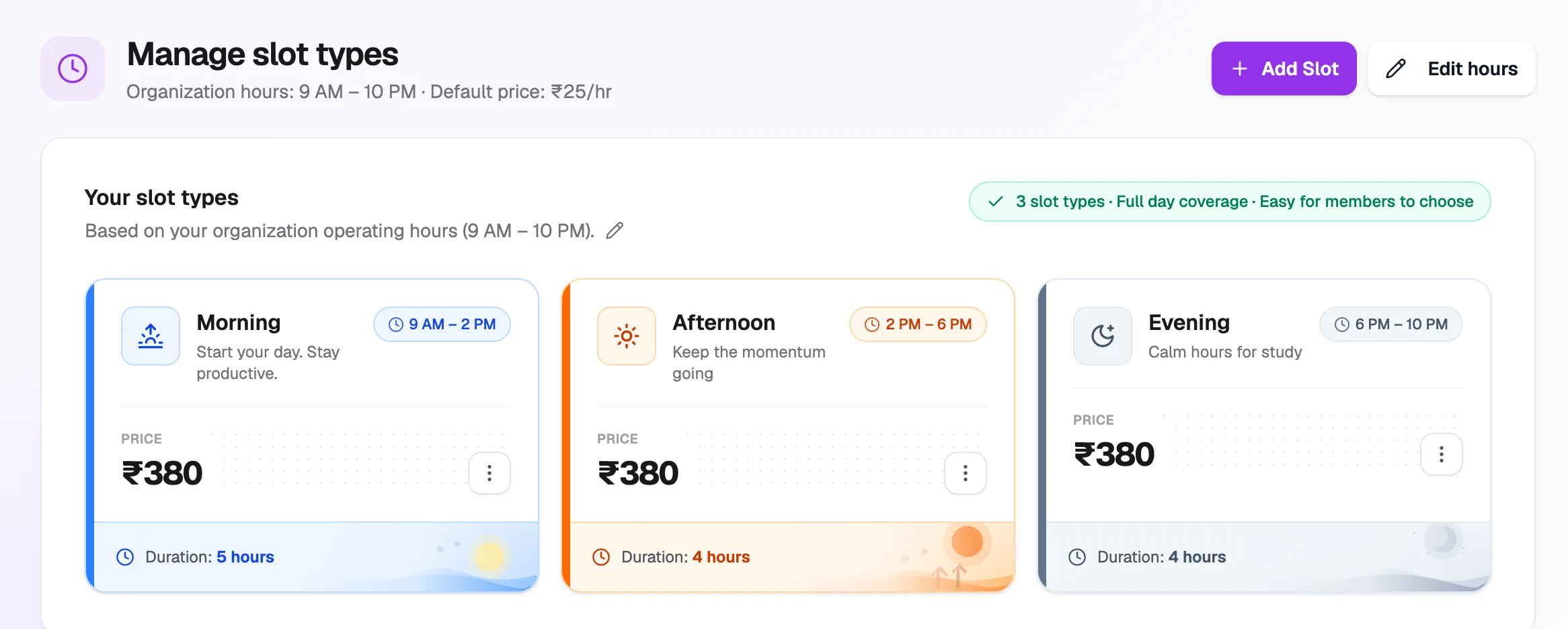
- Slot priceShown on each slot card
- ⋮ → EditChange a slot's price
Charge more for some seats
To charge more for premium seats, such as AC or window seats, give them a tag with Special pricing:
- Go to Seats → Tags and create or edit a tag.
- Turn on Special pricing.
- Choose Same price for all slots and enter a Premium price, or Different price per slot and enter a price for each slot. A slot left empty uses its normal price.
- Add the tag to those seats.
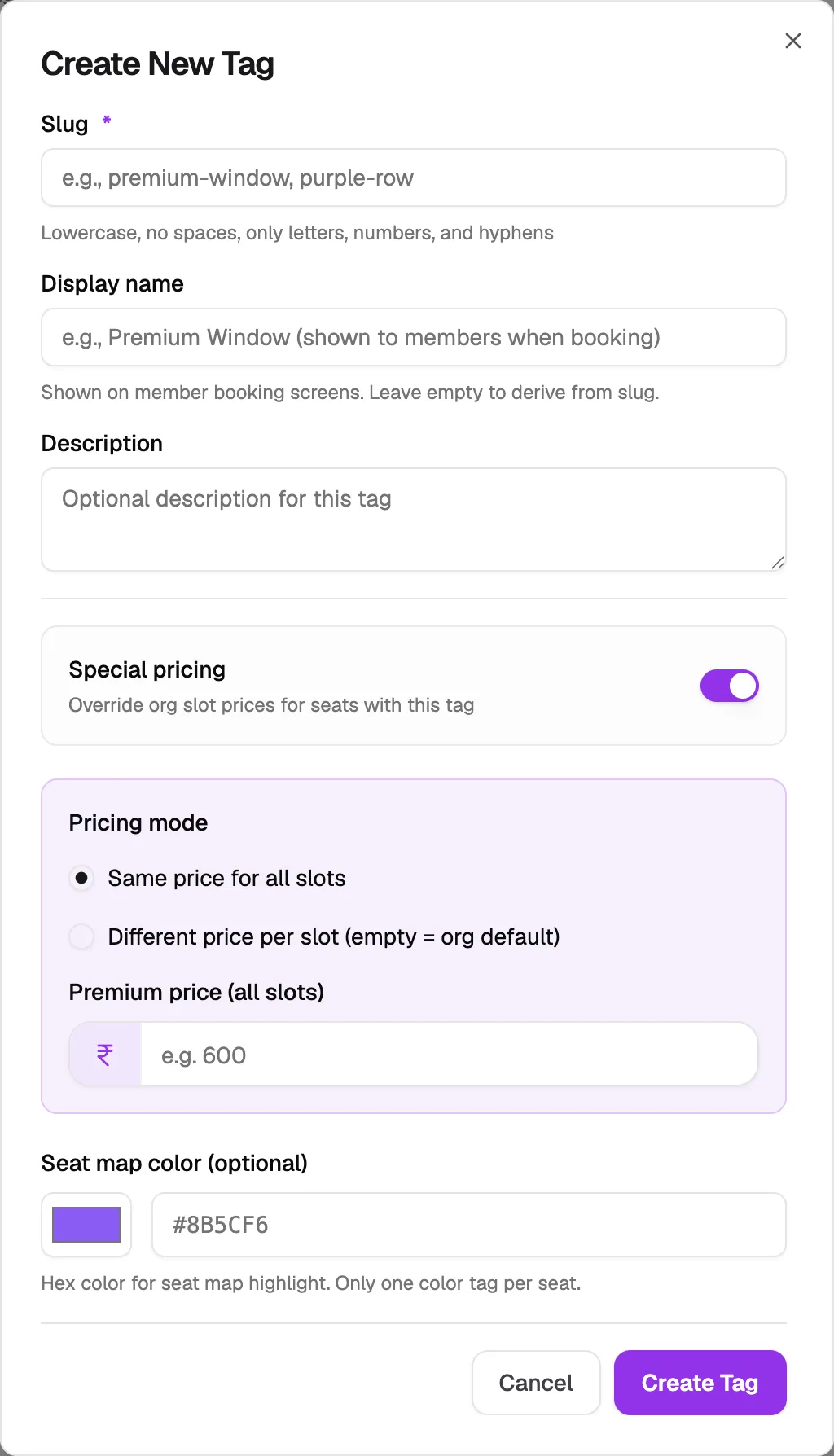
- Special pricingTurn on to override slot prices
- Pricing modeSame price, or per slot
- Premium priceUsed for every slot
See How to add seat categories and tags for the full tag form.
Hourly bookings
Hourly bookings are priced by the hour instead. See How to set hourly pricing.