Appearance
How to sign up for Librarify
Create your Librarify account in about a minute, with Google or with your email and a password.
Before you start
- An email address you can open. With Google, use the Google account you want to manage the library with.
- A 10-digit mobile number.
Steps
- Go to librarify.in and click Sign up at the top right.
- Choose how to sign up:
- With Google: click Sign up with Google and pick your Google account. You're done. Skip to What happens next.
- With email: fill in the form as below.
- Enter your Name and Email.
- Enter your Phone Number: 10 digits, without the country code. +91 is selected for you.
- Choose a Password with at least 8 characters, including an uppercase letter, a lowercase letter, a number and a symbol. Click the eye icon to check what you typed.
- Click Sign Up.
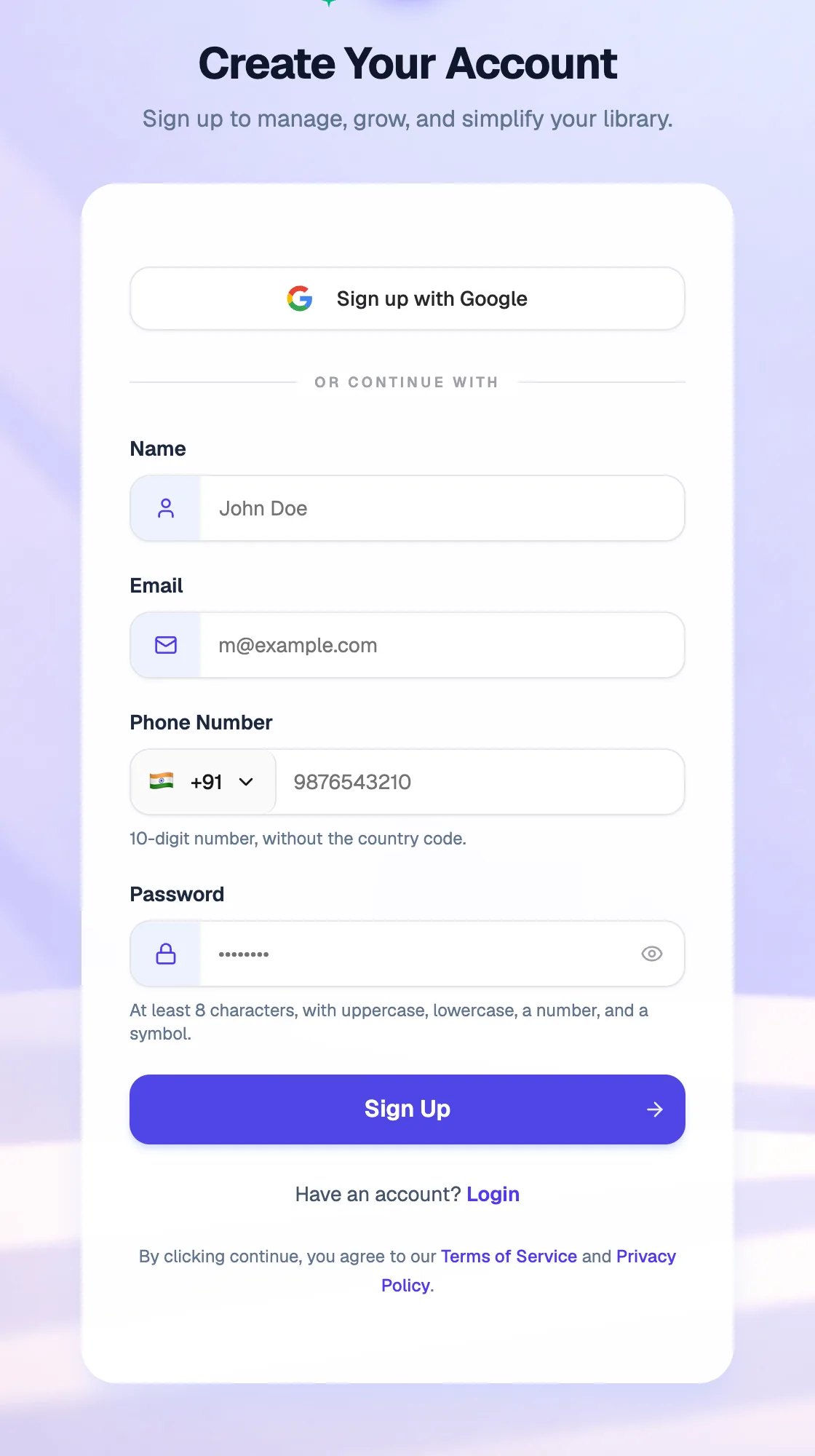
- Sign up with GoogleFastest: no password to remember
- Phone Number10 digits, without +91
- Password8+ characters: upper and lower case, a number and a symbol
- Sign UpCreates your account
What happens next
- You see "Account created successfully! Welcome to Librarify." and land on your Librarify dashboard.
- From the dashboard, create your library. If you signed up from a free-trial offer, your dashboard offers the trial first. See How to start your free 15-day trial.
Already have an account? Click Login under the form.