Appearance
How to log in to Librarify
Owners log in at librarify.in. Staff and members sign in on the library's own sign-in page.
Log in as an owner
- Go to librarify.in and click Log in at the top right.
- Choose how to log in:
- With Google: click Login with Google and pick the Google account you signed up with.
- With email: enter your Email and Password, then click Login.
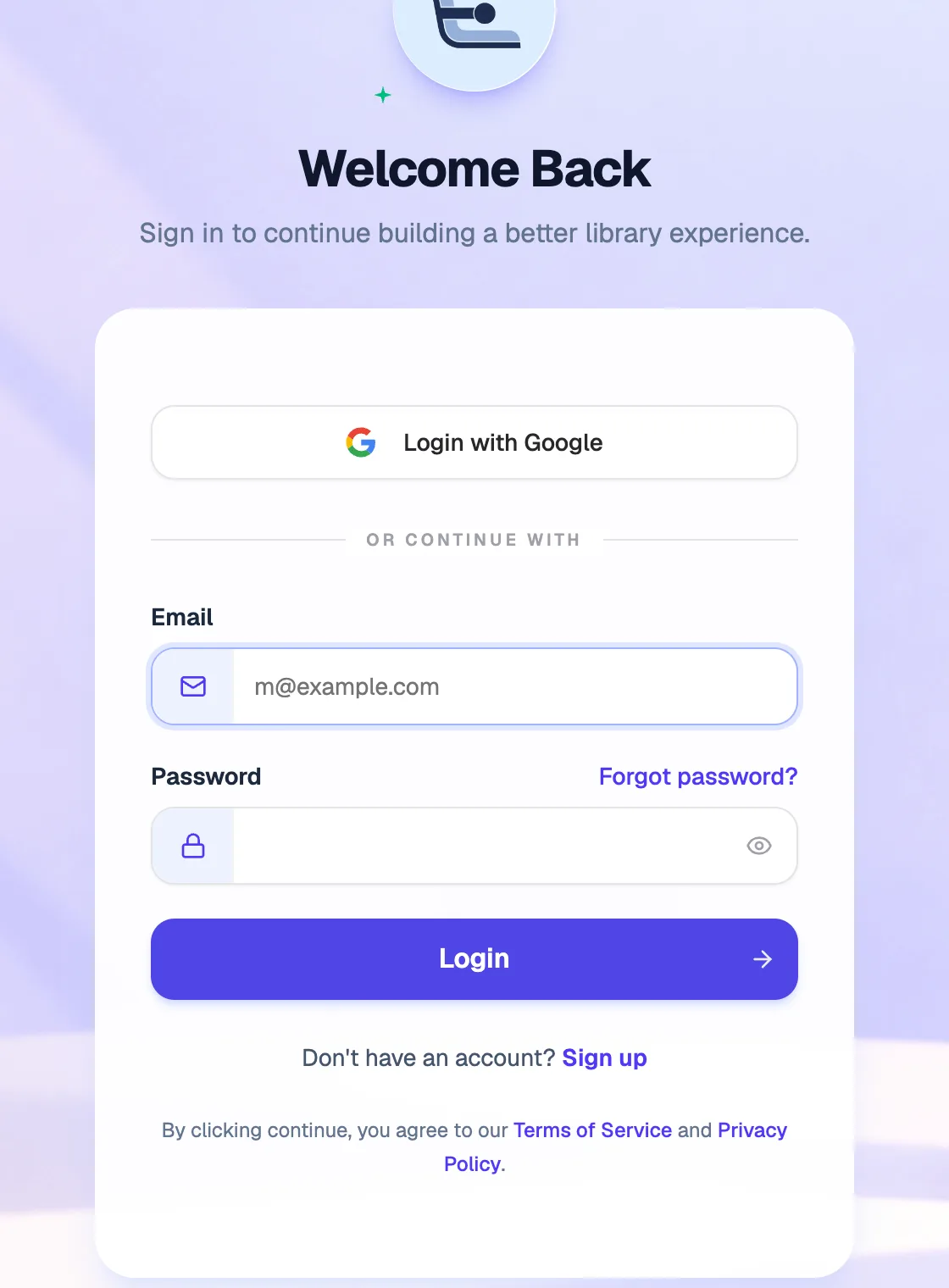
- Login with GoogleIf you signed up with Google
- EmailThe email you signed up with
- Forgot password?Get a reset link by email
- LoginOpens your dashboard
You land on your Librarify dashboard, where you can open any of your libraries.
Forgot your password?
- On the login page, click Forgot password?
- Enter the Email you signed up with and click Send reset email.
- Open the email from Librarify and follow the link to choose a new password.
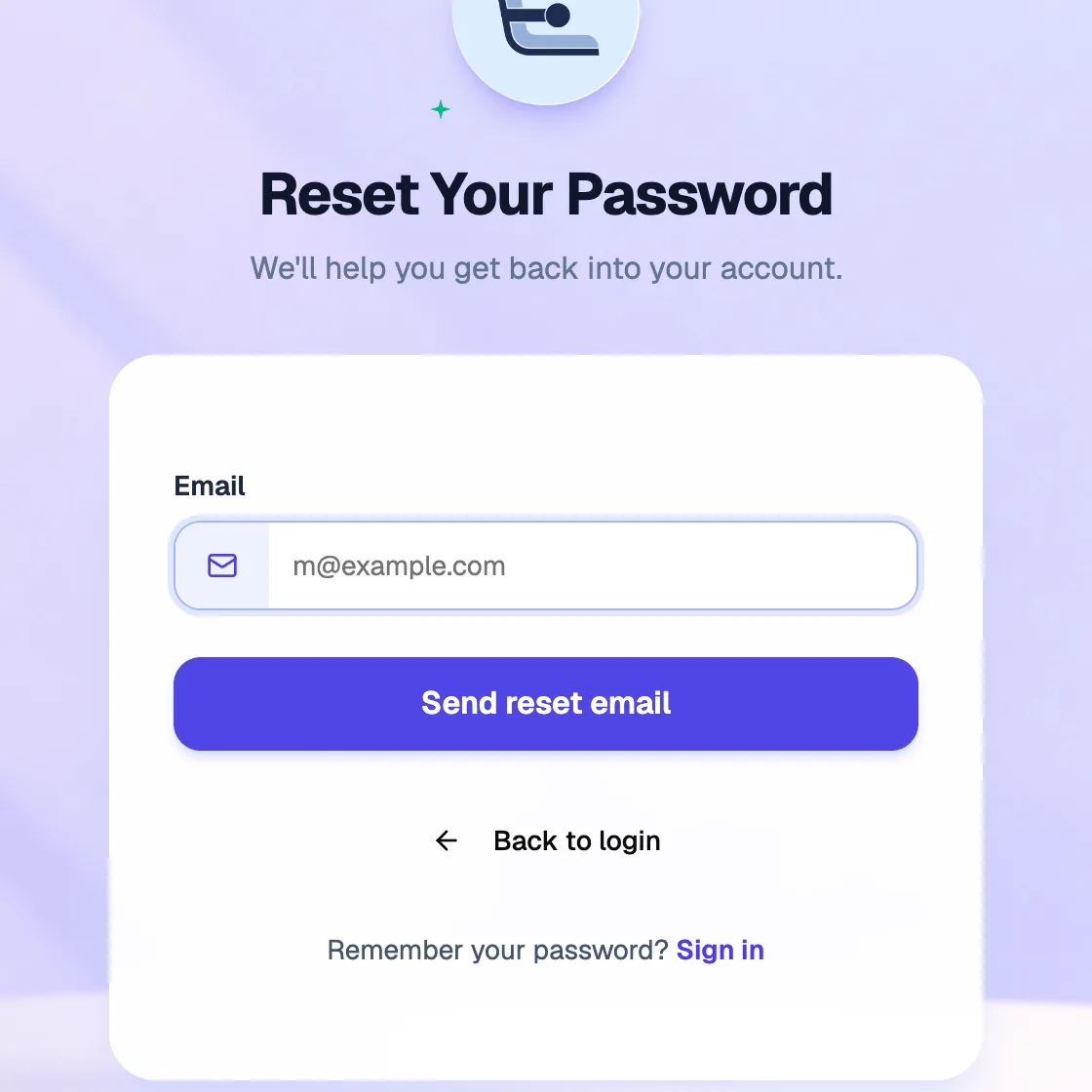
- EmailYour account email
- Send reset emailSends a link to reset your password
No email? Check your spam folder, or click Send another email. If you signed up with Google, you don't need a password: click Login with Google instead.
Where your staff and members sign in
Staff and members don't use the owner login. They sign in on your library's own sign-in page, which shows your library's name. It opens when they go to your library's address (for example yourlibrary.librarify.in) and log in.
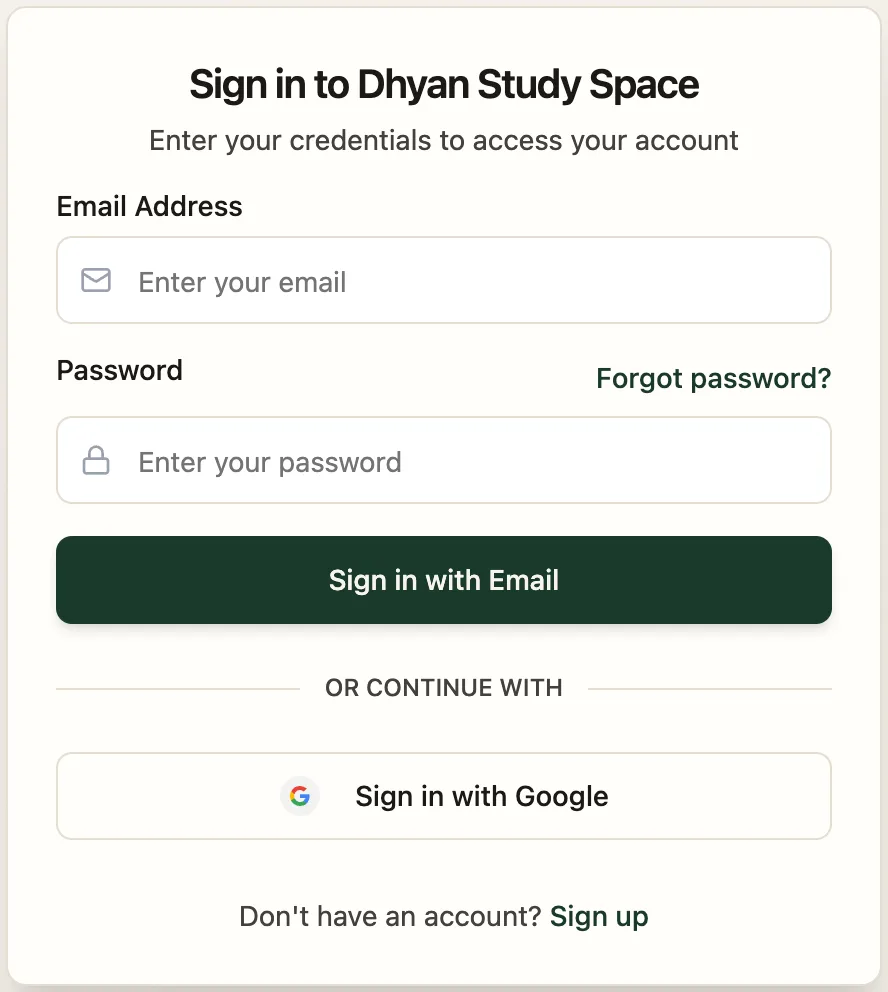
- Email AddressThe email you added them with
- Forgot password?They can reset it themselves
- Sign in with EmailEmail and password sign-in
- Sign in with GoogleFor Google accounts