Appearance
How to set hourly pricing
Hourly bookings are priced from one hourly rate for your library, separate from your slot prices.
Who can do thisOwner, Org admin, Moderator by default, or any staff role given Slots → Add / edit / delete in Settings → Staff role permissions.
Set the hourly rate
- In the left menu, click Slots.
- Scroll to Hourly rate and enter the Rate (₹/hr).
- Click Save rate.
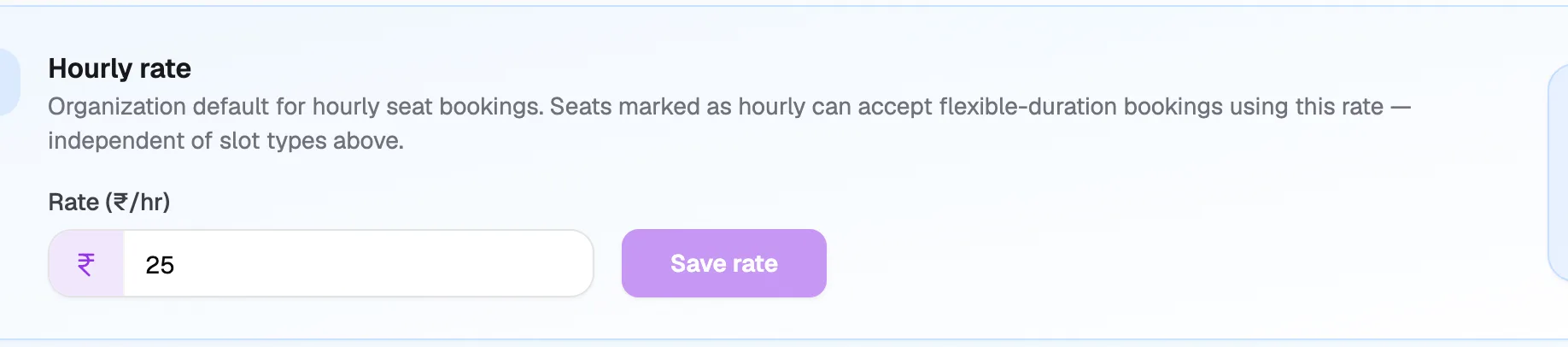
- Rate (₹/hr)Price for one hour
- Save rateSaves the new rate
You can also set it in Settings → Organization → General under Hourly rate (₹), or in step 2 of the setup wizard. Leave it empty to turn off automatic hourly pricing.
How an hourly booking is priced
Librarify multiplies your hourly rate by the hours booked. Example: at ₹25 an hour, booking 6 PM – 9 PM (3 hours) suggests ₹75. The suggested amount fills in Price Paid (₹), and you can change it before you book.
Bookings longer than one day
The suggestion counts the hours you pick once. It isn't multiplied by the number of days in the date range. For a booking over several days, check Price Paid (₹) before you book.