Appearance
How to buy a Librarify plan
A Librarify plan (your subscription) covers one library. You pay for the library, not per seat or per student. Students don't pay Librarify.
Who can do this
The library owner.
Before you start
If you have a free-trial offer, you can start with that. See Free trial.
Steps
- Open the plans page: from the Librarify website, click Pricing, or from your dashboard choose to add a library.
- Choose Monthly Billing or Yearly Billing. Yearly may include a discount shown on the plan.
- Compare the plans:
- Starter: WhatsApp renewal notices (SMS coming soon), your own subdomain and one invoice template.
- Pro: everything in Starter, plus multiple invoice templates.
- Click Select Plan on the one you want.
- On the checkout page, check the plan and price, then click Pay ₹… and complete the payment in Razorpay.
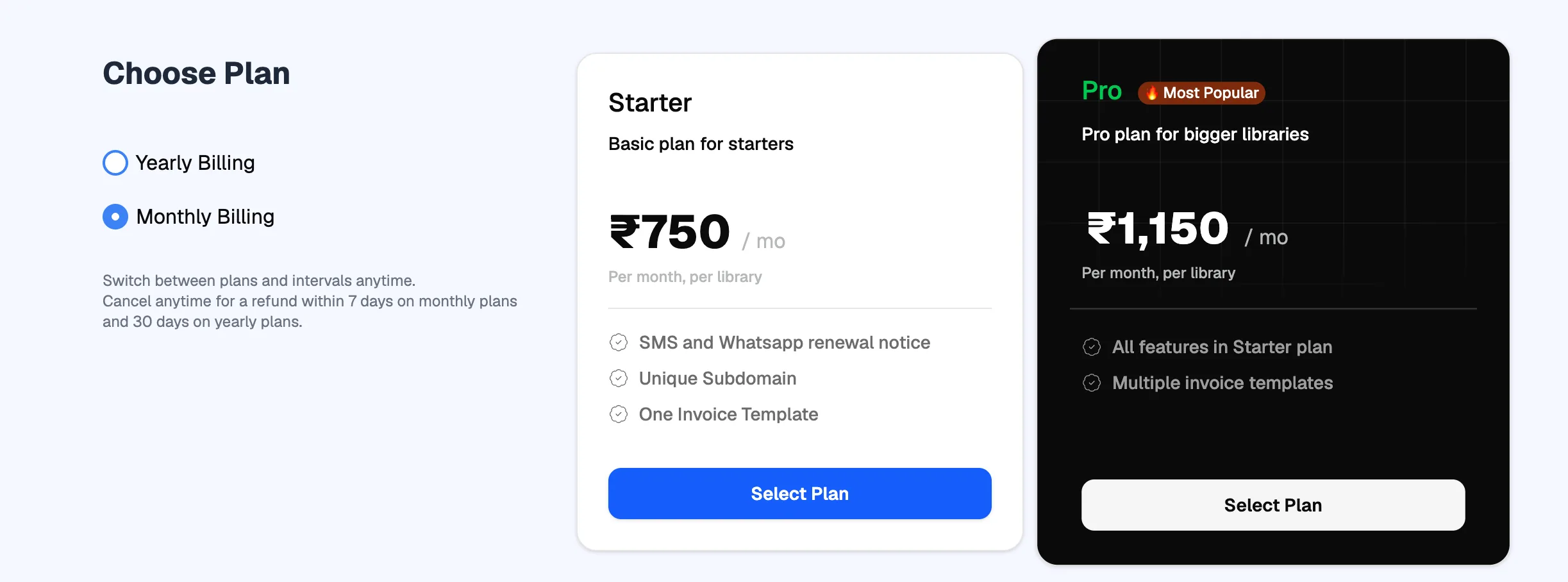
- Yearly or MonthlySwitch any time later
- StarterFor most libraries
- ProMore invoice templates
- Select PlanGoes to checkout
What happens next
- Your payment shows in Billing history.
- If you bought the plan for a new library, you can now add the library.
Refunds and cancelling
As shown on the plans page: monthly plans get a full refund if cancelled within 7 days of purchase, and yearly plans within 30 days. To cancel or ask for a refund, email support@librarify.in with your account details and the reason. See Contact support.