Appearance
How to see your billing history
Billing history lists every payment for your library's Librarify plan.
Who can do this
The library owner, or staff with Subscription / billing → View (Org admins have it by default).
Steps
- In the left menu, click Subscription, then Manage Subscription.
- Open the Billing tab. It lists your recent payments.
- Click Open Full Billing Page to see all of them.
The cards at the top show Total paid, the number of Transactions and Failed payments. Each payment shows its type (such as Manual Renewal), date, amount, payment method, plan and status.
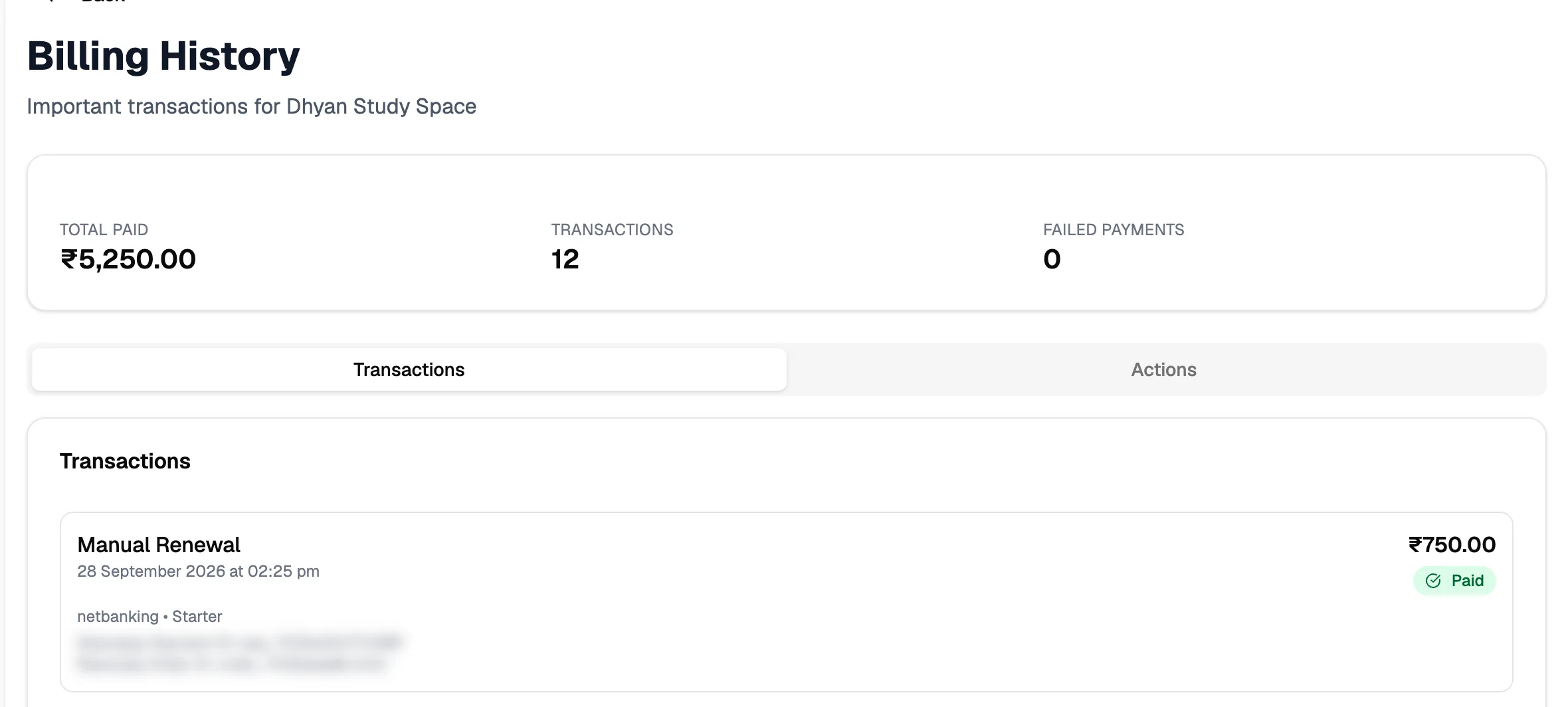
- Total paidAll payments to date
- Failed paymentsPayments that didn't go through
- PaymentType and date
- StatusPaid, pending or failed
Each payment also shows its Razorpay payment ID and order ID. Quote these if you contact support about a payment.
Invoice download isn't available yet: it shows "Invoice download feature coming soon". Until then, ask support for an invoice.