Appearance
How to rent a locker
Lockers are rented month by month, separately from your seat. You can also add one while you reserve a seat.
Steps
- Open My Lockers and tap Reserve Locker.
- Choose the Start Date. Valid Through shows the rental period, one month from that date. To go back to the standard period, tap Use default month-to-month period.
- If your library lets you choose, pick a locker under Available Lockers. Otherwise you see "A locker will be assigned after payment."
- Check the Locker rental, any Security deposit (refundable) and the Total for this period.
- Tap Continue to Checkout and pay. See How to pay.
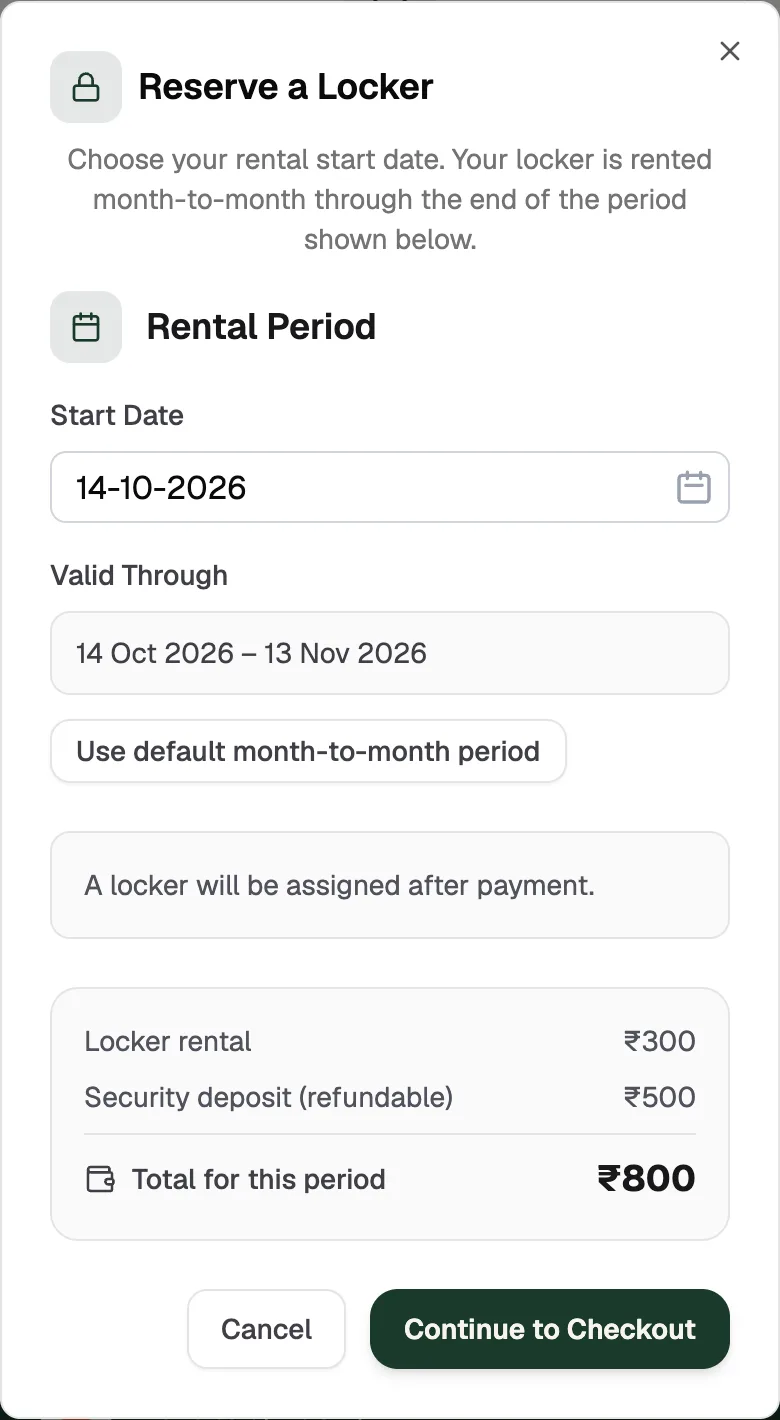
- Start DateWhen your rental begins
- Valid ThroughOne month at a time
- Continue to CheckoutGoes to payment
About the security deposit
Some libraries charge a one-time security deposit with your first locker. You pay it once, not every month. Your library refunds it when your locker rental ends, and the locker card then shows "deposit refunded".