Appearance
How to check your seat
Open My Seats to see every seat you've booked.
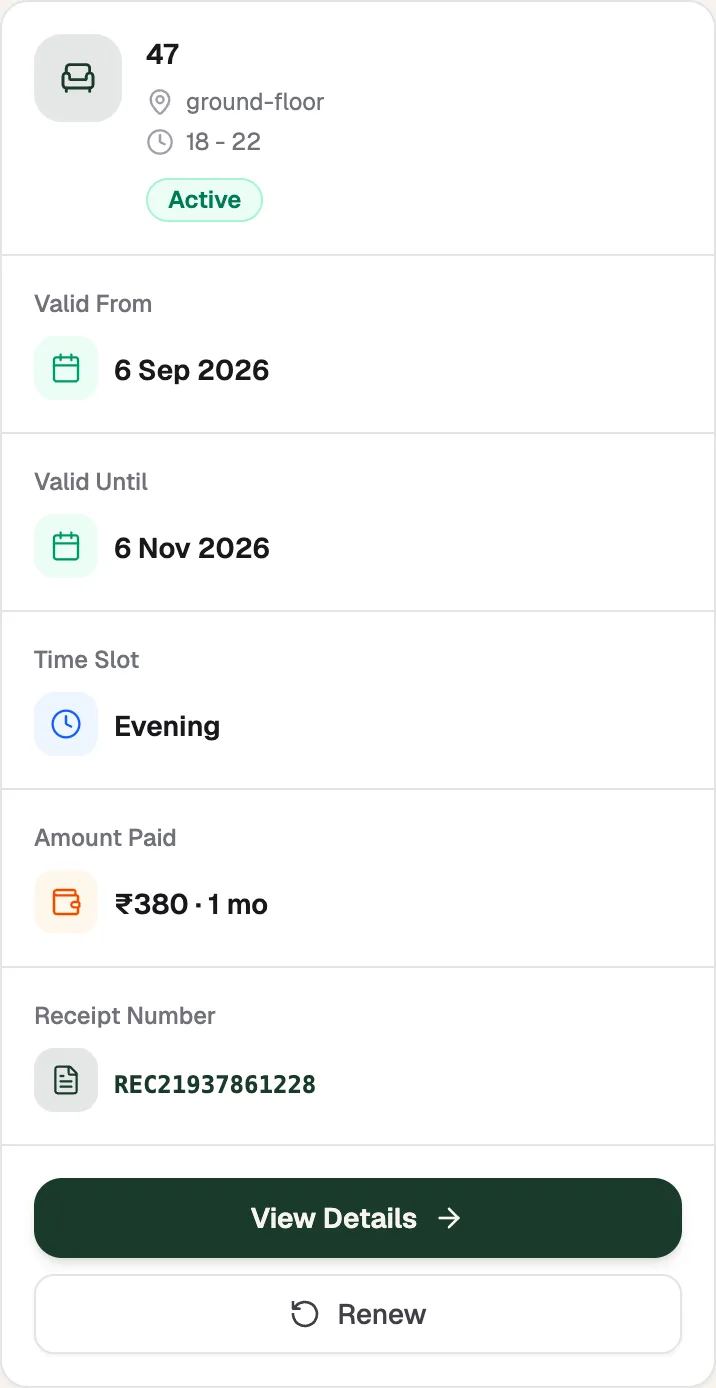
- Valid UntilYour last day
- View DetailsAll booking details
- RenewExtend this seat
What a seat card shows
- The seat number, its area and the Time Slot.
- Valid From and Valid Until: the dates your seat is yours.
- Amount Paid and the Receipt Number. Tap the number to see the receipt.
- A status label:
- Active: your seat is booked.
- Expires in 3 days (or 2, or 1): it's time to renew.
- Upcoming: the booking starts later.
- Expired: the dates have passed. Renew to keep using a seat.
Tap View Details for everything about the booking.
If you have no seat right now, My Seats says so and lists your previous seats and receipts below.