Appearance
How to see your payments and download your receipts
Open My Payments to see everything you've paid your library.
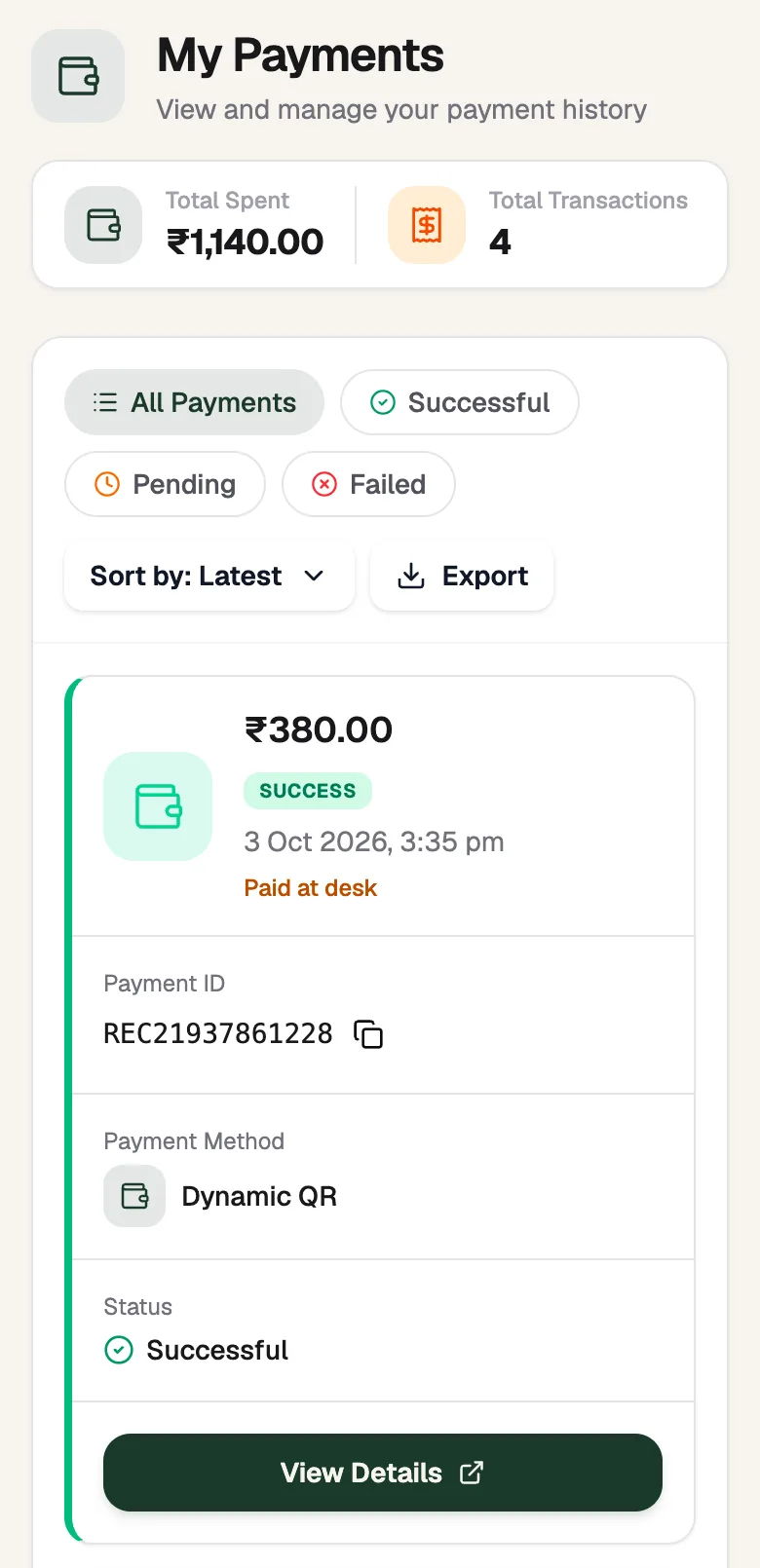
- PendingPayments still to confirm
- StatusSuccessful, pending or failed
- View DetailsPayment and receipt
Find a payment
- The top shows your Total Spent and Total Transactions.
- Use All Payments, Successful, Pending or Failed to filter, and Sort by to change the order.
- Each card shows the amount, the date, the Payment ID (your receipt number), the Payment Method and the Status.
Download your receipt
- On a payment, tap View Details.
- Scroll to Receipt.
- Tap View Receipt to see it, or Download PDF to save it.
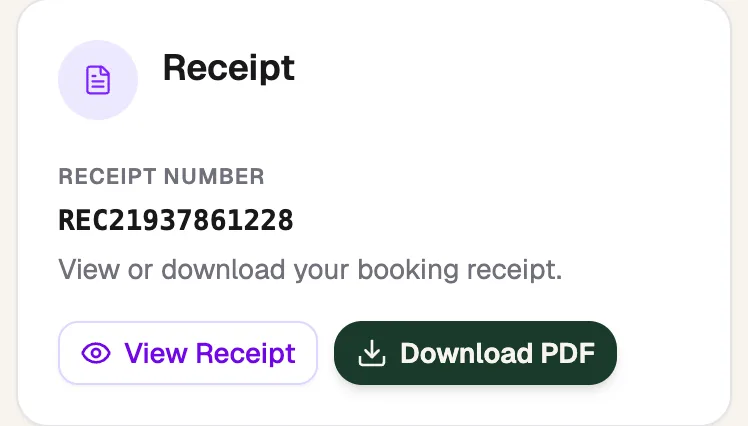
- Receipt NumberQuote it to the front desk
- View ReceiptSee it on screen
- Download PDFSave or share it
A payment is pending
- Pay at Desk: pay the total amount at the front desk on your next visit. Your library confirms it there.
- Dynamic QR: your library is checking your UPI payment. See Pay by UPI QR.