Library website builder for study libraries
Librarify gives every study library its own website at yourlibrary.librarify.in, or on a domain you own. Students see your seats and prices, reserve a seat, renew and pay online, and download receipts. You edit it from Settings → Website. No designer or developer needed.
Updated 23 Oct 2026 · By Pankaj Kumar, founder of Librarify
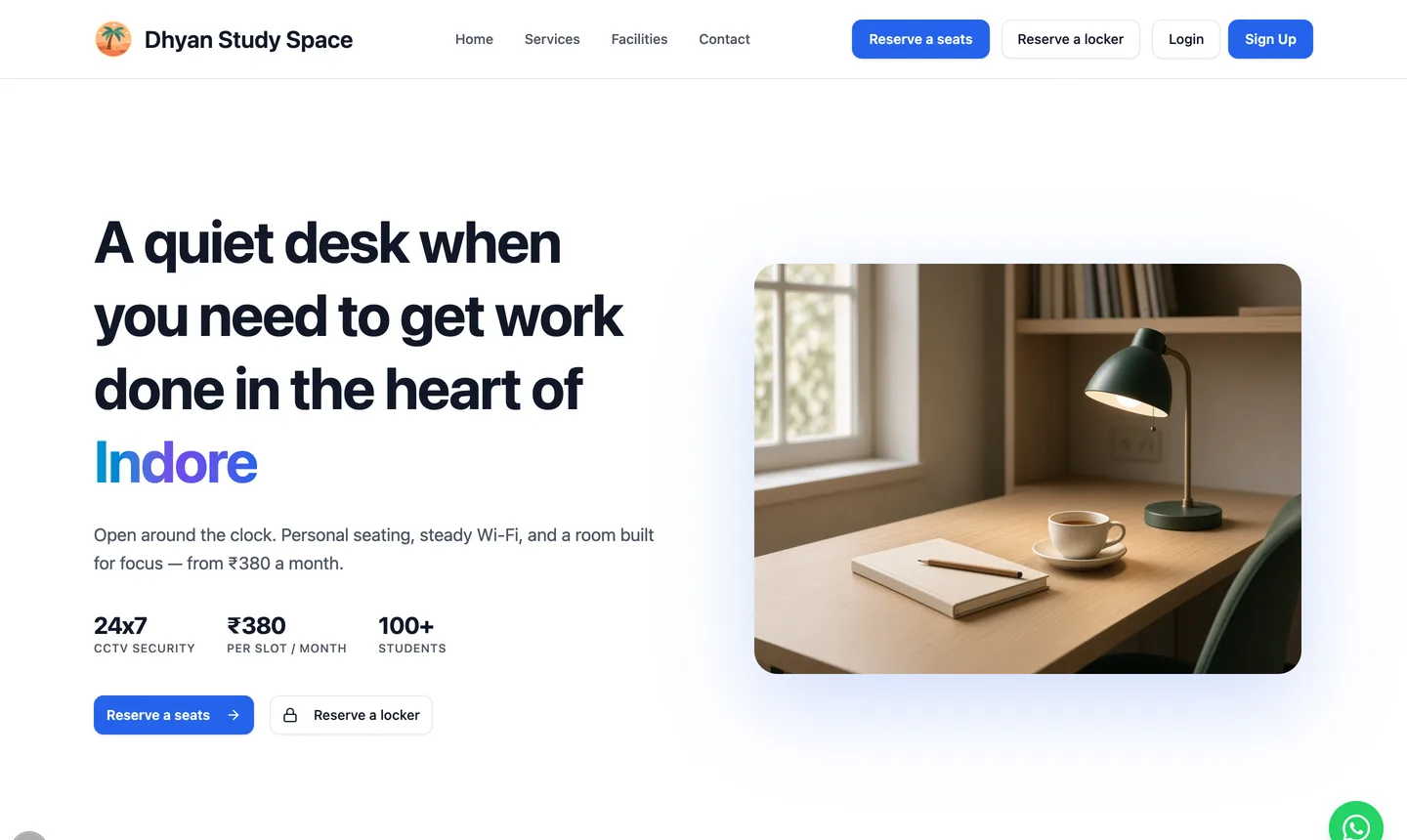
What can students do on your library's website?
Students sign up with email or Google, then handle their seat themselves instead of calling the front desk. Everything they do lands in the same seat map, fee records and receipts your staff use.
Reserve a seat
Pick a time slot or book by the hour, add a locker, and go to checkout.
Renew before expiry
Extend a seat by one or more months, or several seats at once.
Pay online or at the desk
UPI, card or netbanking at checkout, a UPI QR for the exact amount, or pay at the desk. Coupons apply before paying.
Download receipts
Every payment and its status on My Payments, with a PDF receipt.
Rent a locker
See the monthly rent and refundable deposit, then renew it from My Lockers.
Read announcements
Library updates arrive in their inbox, and a WhatsApp button opens a chat with your desk.
Which homepage designs can you choose?
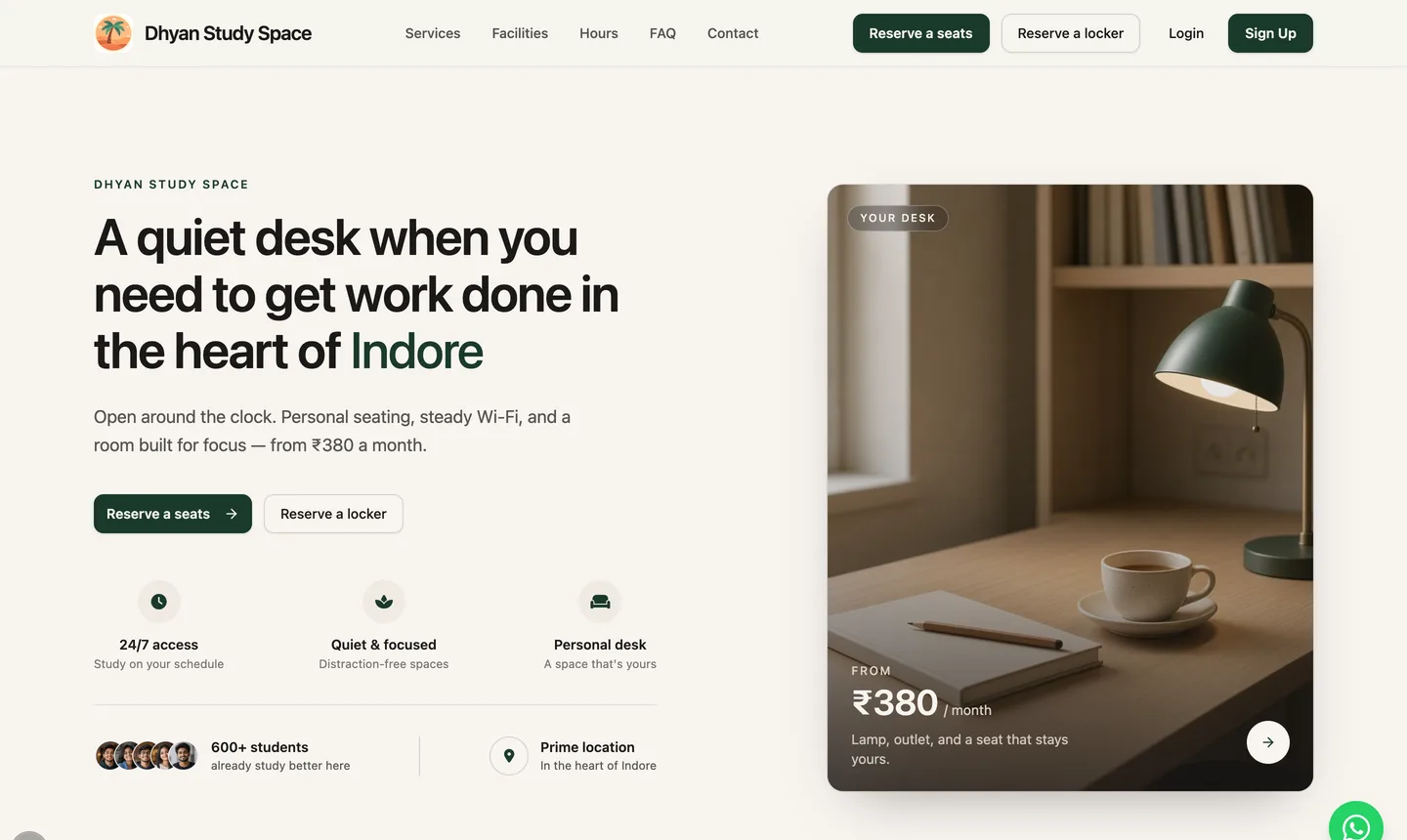
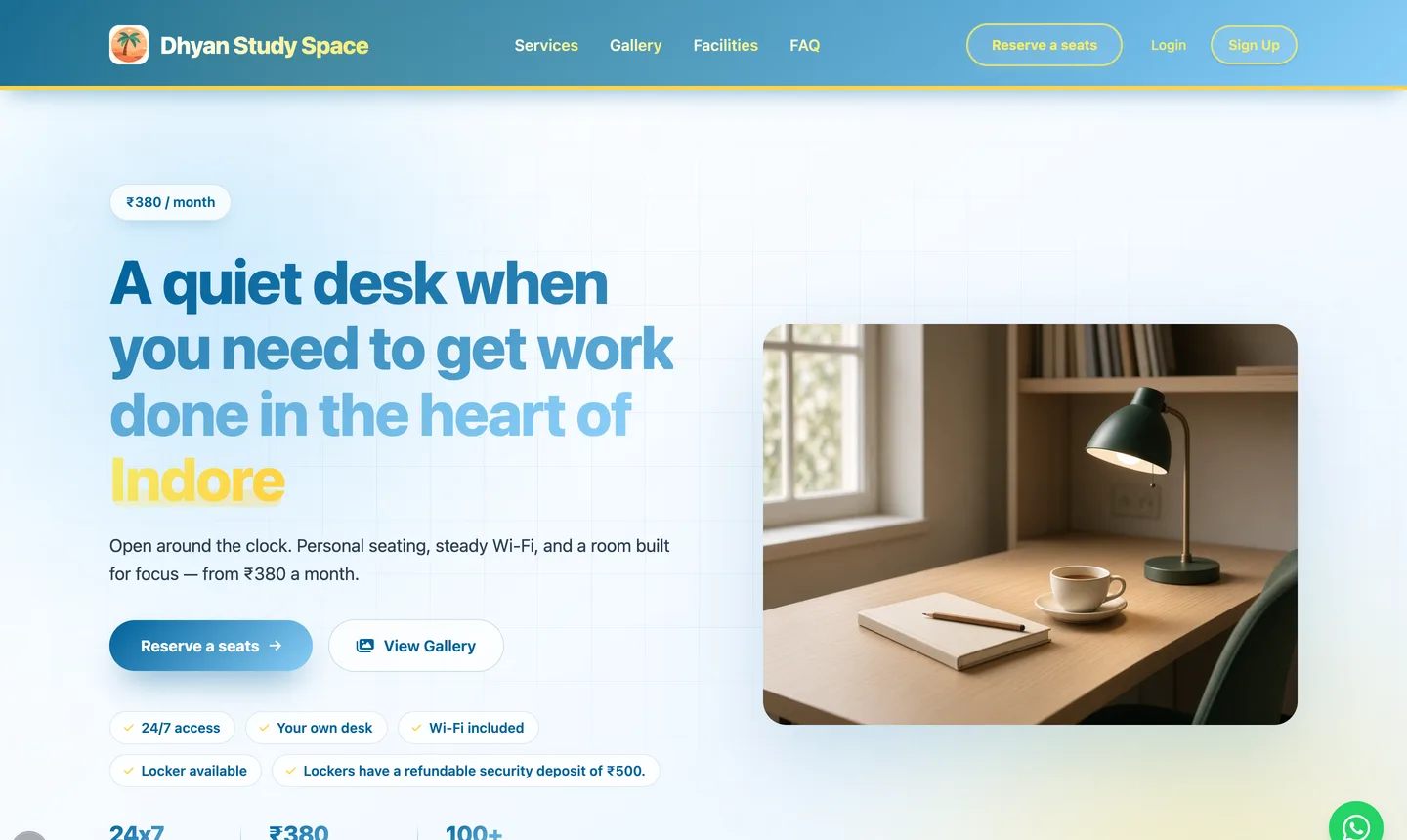
There are three designs. Your text and photos are shared across all of them, so you can switch at any time without retyping. The Pro plan includes multiple website templates.
What can you change on the website?
Each part of the homepage has its own section, and each saves on its own. Your library name, logo, hours, phone and email come from your library settings. Auto-fill words such as {{city}} and {{price}} keep the text right when those change.
- Hero
- Headline, subheadline, booking button labels and the hero photo.
- Services and facilities
- What you offer and your amenities: Wi-Fi, AC, lockers, CCTV.
- Gallery
- Photos of your reading hall, cabins and entrance.
- Hours and pricing
- Opening hours from your settings and a "from ₹…" price taken from your lowest seat-slot price.
- FAQ
- The questions students ask the desk every day.
- Footer and social
- Tagline, Instagram, YouTube and Facebook links, and the WhatsApp chat button.
- SEO and sharing
- The title and description Google shows, the share image, and whether Google may list the homepage.
Can you use your own domain?
Yes. Your site works at a free Librarify address from day one. To use a domain you bought from GoDaddy, Hostinger or Namecheap, add it in Settings → Domain, then add the A record (for yourlibrary.com) or CNAME record (for www.yourlibrary.com) that Librarify shows. You don't change nameservers. After Check DNS verifies it, click Make primary and visitors go to your own domain.
Custom domain guideWill your library website show up on Google?
It can. In SEO and sharing you set the title and description Google shows, the image used when the link is shared on WhatsApp, and a switch that allows Google to list your homepage. Your settings and other app pages stay private either way. Add the website link to your Google Business Profile too, since students searching "library near me" see the map listing first.
How is this different from a listing page or a separate website?
| Feature | Librarify website | Listing on a marketplace | Separate site (WordPress, Wix) |
|---|---|---|---|
| Your library's name in the address | |||
| Seats and prices update from your seat map | Depends on the site | ||
| Students reserve, renew and pay online | Depends on the site | Needs plugins | |
| Linked to your fee and receipt records | |||
| Extra cost | Included in every plan | Varies by site | Hosting, domain, developer |
Questions about the library website
- Does every library on Librarify get a website?
- Yes. The Starter and Pro plans both include your library website, a free address such as yourlibrary.librarify.in, and support for a domain you already own. Pro adds multiple website templates.
- Do I need a designer or developer to build it?
- No. Pick a homepage design, fill in each section in Settings → Website and click Save changes. Your name, logo, hours, phone, email and seat prices come from your library settings, so the site is mostly filled in before you start.
- Can students reserve a seat by the hour?
- Yes. Students reserve a seat for a time slot or by the hour, can add a locker, and go to checkout to pay. The booking uses the same seat map your front desk works from.
- Can I use my own domain, like yourlibrary.com?
- Yes. Add the domain in Settings → Domain, add the A or CNAME record Librarify shows at your domain provider, then click Check DNS. You don't change nameservers. Once it's verified, make it primary and visitors are sent to your own domain.
- Do students pay Librarify to use the website?
- No. Students pay your library for seats and lockers. Librarify is priced per library, not per student or per seat.
- Can I change the design later?
- Yes. Your text and images are shared across the homepage designs, so you can switch from Classic to Editorial or Coastal without retyping anything.
Put your library online this week
Create your library, add seats and prices, and your website is ready to share with students. The pricing page lists what each plan includes.